Wedding Planner Template
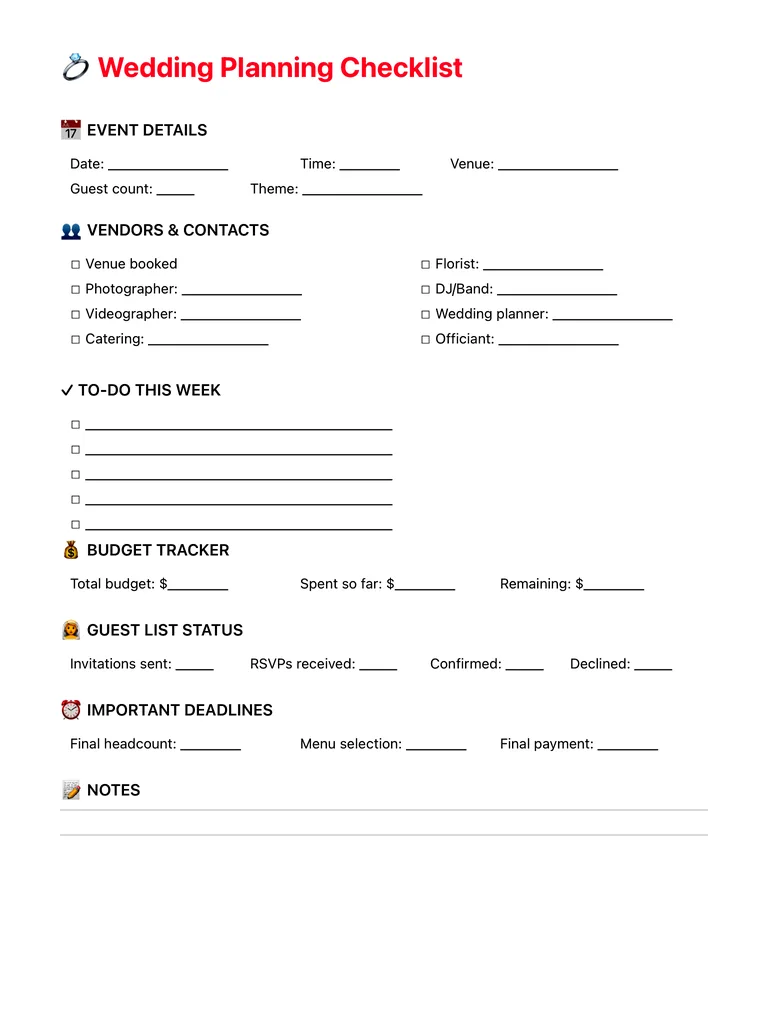
A wedding planning checklist on one page: event details, vendors and contacts, this week's to-dos, budget tracker, guest list status, important deadlines and notes. Free PDF or digital for iPad.
Free · no sign-up · PDF works for printing and in PDF note apps such as Goodnotes and Notability. Premium template in the app.
About this template
Event details cover the date, time, venue, guest count and theme. The vendors and contacts checklist lists venue, photographer, videographer, catering, florist, DJ or band, wedding planner and officiant, with a line for each name. A to-do list for this week keeps the planning moving in small steps. The budget tracker shows total, spent so far and remaining, and guest list status counts invitations sent, RSVPs received, confirmed and declined. Important deadlines for the final headcount, menu selection and final payment sit near the bottom, with lines for notes.
How to use it
- Book the venue first; most other dates depend on it.
- Update the budget each time you pay a deposit.
- Rewrite the weekly to-do list every Sunday until the big day.
- Put the headcount deadline in your calendar as well as on this page.
Who it's for
- Professionals: Manage meetings & deadlines
- Creatives: Capture ideas & inspiration
Write with Apple Pencil, a mouse or your finger. Your page is saved in this browser.
Use the Wedding Planner Template in Planner for iPad
A fresh page every day, 132 templates, day/week/month/year views and reminders — made for Apple Pencil.
Frequently asked questions
What should a wedding planning checklist include?
Vendors, budget, guest list, key deadlines and a running to-do list. This page puts all five on one sheet.
Can I keep it on my iPad?
Yes. Use it in the Digital Planner for iPad Day+ app with Apple Pencil, keep it in its own notebook, and sync it with iCloud.
Is there a budget template with more detail?
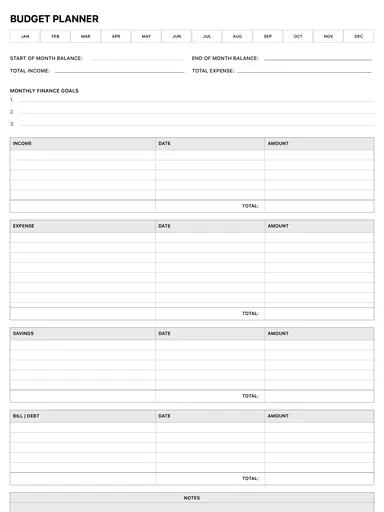
Yes, the budget planner has full income, expense and savings tables.