Savings Tracker
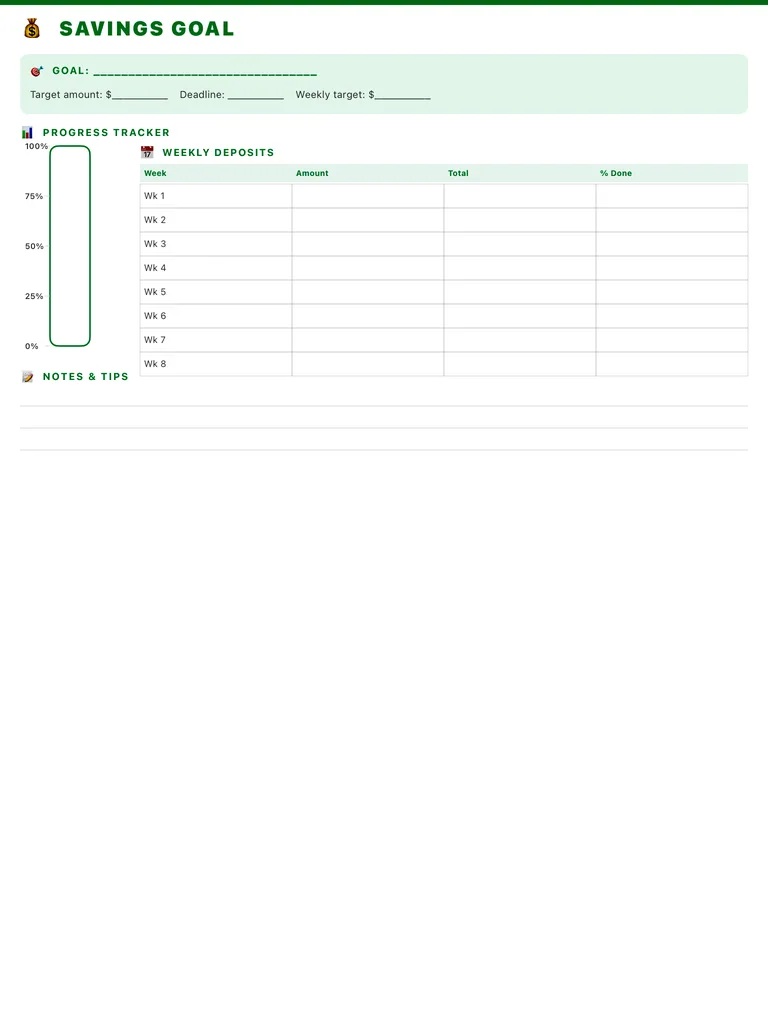
A savings tracker for one goal: target amount, deadline and weekly target, a 0-100% progress bar to fill in, and an eight-week deposit table. Free printable PDF or digital for iPad.
Free · no sign-up · PDF works for printing and in PDF note apps such as Goodnotes and Notability. Premium template in the app.
About this template
Name what you're saving for, then set the target amount, deadline and how much you'll put away each week. The tall progress tracker on the left is marked 0%, 25%, 50%, 75% and 100%, so you can color it in as the balance grows. The weekly deposits table has rows for weeks 1 to 8 with columns for the amount, running total and percent done. Notes and tips lines at the bottom are for ideas on where the extra money will come from.
How to use it
- Divide the target by the number of weeks to the deadline to get the weekly target.
- Deposit on the same day each week, right after payday if you can.
- Color the progress bar every time you update the table; seeing it fill up helps.
- For longer goals, start a new page every eight weeks and carry the total over.
Who it's for
- Professionals: Manage meetings & deadlines
- Students: Track classes, assignments & exams
- Homemakers: Manage household & routines
Write with Apple Pencil, a mouse or your finger. Your page is saved in this browser.

Use the Savings Tracker in Planner for iPad
A fresh page every day, 132 templates, day/week/month/year views and reminders — made for Apple Pencil.
Frequently asked questions
How long does the tracker cover?
Eight weeks per page. For a longer goal, continue on a new page with the running total.
Can I track several goals?
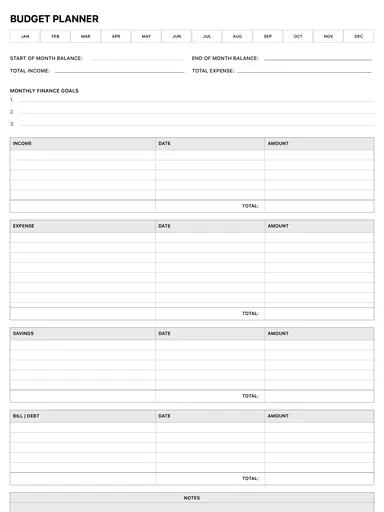
Use one page per goal. For your whole monthly budget, see the budget planner.
Can I print it?
Yes. Download the PDF and print it, or fill it in on your iPad with Apple Pencil.