Brain Dump Template
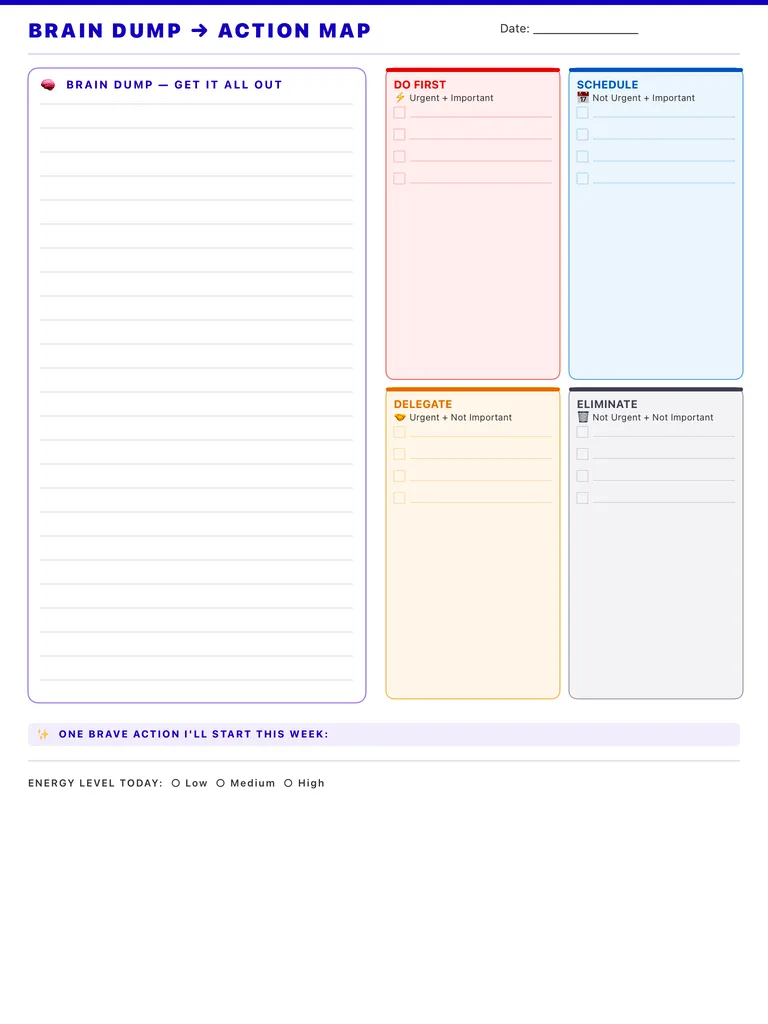
A brain dump page that turns clutter into a plan: a large lined area to get it all out, then four boxes to sort it into Do First, Schedule, Delegate and Eliminate. Free PDF or digital.
Free · no sign-up · PDF works for printing and in PDF note apps such as Goodnotes and Notability. Premium template in the app.
About this template
The left side is a tall lined box for the brain dump itself: every task, worry and idea, in any order. On the right, four colored boxes follow the urgent/important matrix: Do First (urgent and important), Schedule (important, not urgent), Delegate (urgent, not important) and Eliminate (neither), each with checkbox lines. Below them, write one brave action you'll start this week and mark your energy level today as low, medium or high.
How to use it
- Set a timer for ten minutes and don't stop writing until it goes off.
- Sort only after the dump is finished; sorting while writing slows you down.
- Be honest with the Eliminate box; crossing things off on purpose is the point.
- Pick the brave action from the Schedule box; that's where important work hides.
Who it's for
- Professionals: Manage meetings & deadlines
- Entrepreneurs: Plan projects & track goals
- ADHD-Friendly: Clear structure helps maintain focus
Write with Apple Pencil, a mouse or your finger. Your page is saved in this browser.

Use the Brain Dump Template in Planner for iPad
A fresh page every day, 132 templates, day/week/month/year views and reminders — made for Apple Pencil.
Frequently asked questions
What is a brain dump?
Writing down everything on your mind, without filtering, so it stops circling in your head. The sorting step on this page turns that list into next actions.
How often should I do a brain dump?
Whenever you feel scattered, or once a week as a reset. Some people do a short one every morning.
Can I do it on my iPad?
Yes. Write with Apple Pencil on this template, or add it to a notebook in the Digital Planner for iPad Day+ app.