Bullet Journal Template
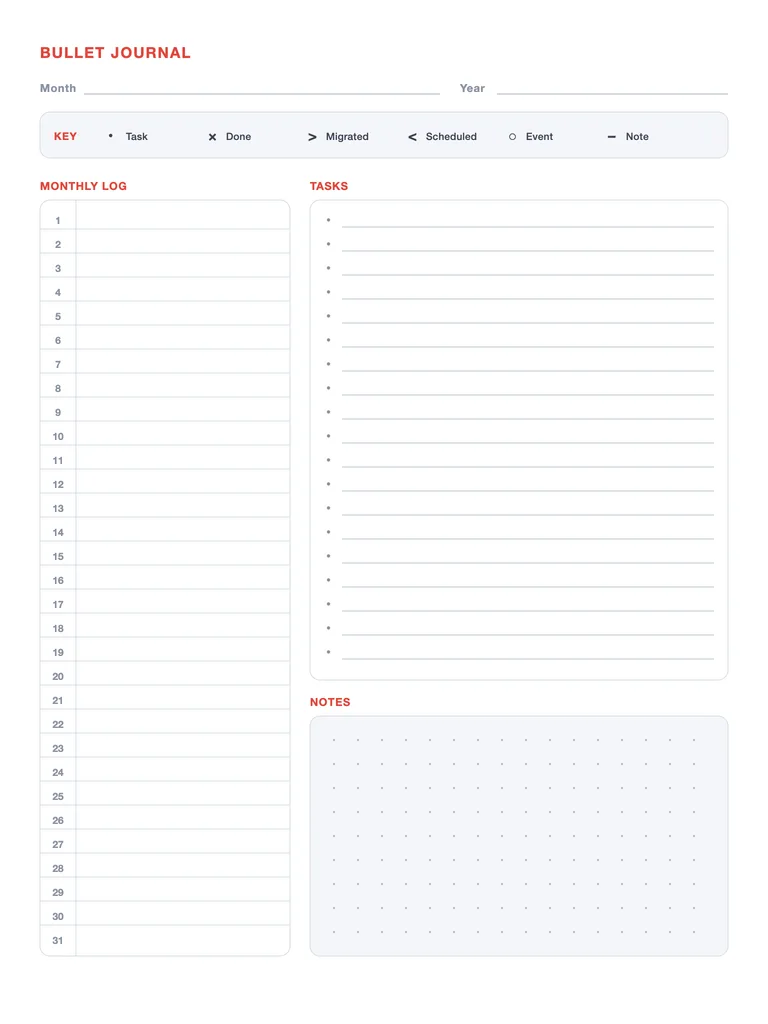
A free printable bullet journal page: a rapid-logging key, a monthly log with a line for every day, a task list with printed bullets and a dot-grid notes area. Download the PDF or write on it online.
Free · no sign-up · PDF works for printing and in PDF note apps such as Goodnotes and Notability. Made for this site.
About this template
The page follows the classic bullet journal method. A key at the top shows the six rapid-logging symbols: • task, × done, > migrated, < scheduled, ○ event and – note. On the left, the Monthly log has one numbered line for each day from 1 to 31 for events and appointments. On the right, Tasks has 19 lines with printed bullets, and Notes below it is a dot grid for sketches, lists or a mini habit tracker. You write the month and year at the top, so the page works for any month.
How to use it
- Fill the monthly log first: one short line per day for events you already know about.
- Add tasks as bullets. When one is done, turn the • into an ×.
- At the end of the month, mark unfinished tasks with > and copy them to next month’s page — or drop them.
- Use the dot grid for whatever the month needs: a mini habit tracker, a meal list or a doodle.
Write with Apple Pencil, a mouse or your finger. Your page is saved in this browser.

Want a planner app instead of a PDF?
Planner for iPad has 132 templates, day/week/month/year views, stickers and reminders. Free to download.
Frequently asked questions
What do the bullet journal symbols mean?
A dot (•) is a task, a cross (×) a finished task, a right arrow a task migrated to next month, a left arrow a task scheduled for a later date, a circle (○) an event and a dash (–) a note.
Do I need a dotted notebook?
No. Print this page as often as you like, or import the PDF into a note app and duplicate it each month.
Is the bullet journal template free?
Yes — free to download and print, no sign-up.