Homeschool Planner
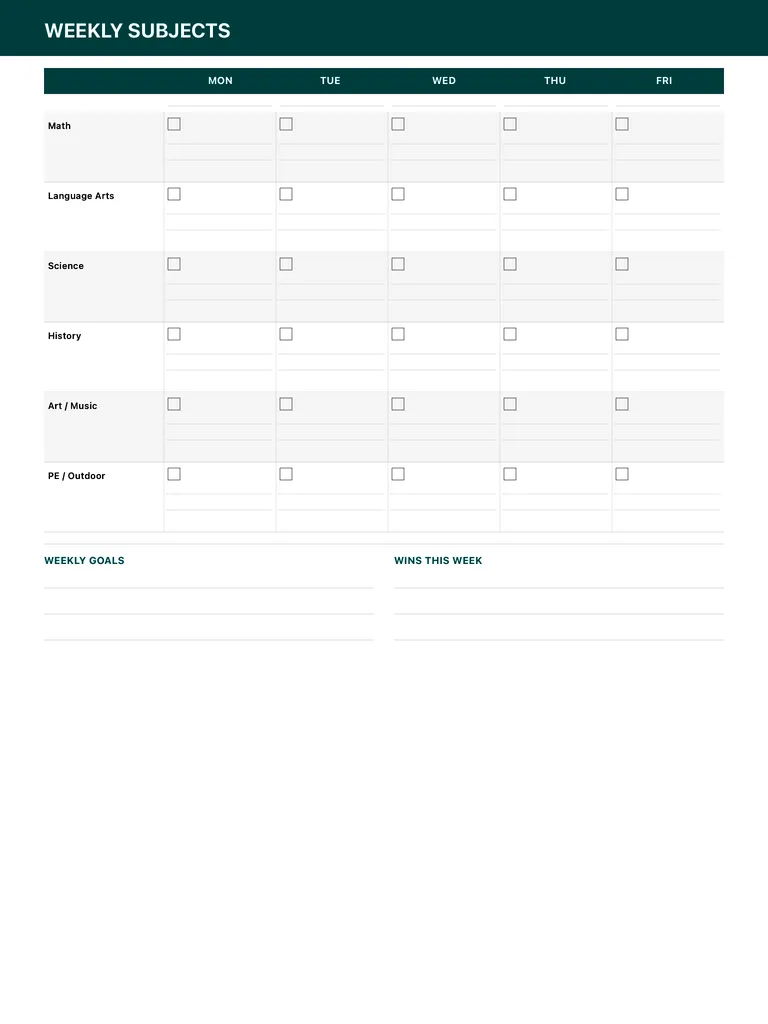
A weekly homeschool planner grid: six subjects down the side, Monday to Friday across the top, with a checkbox and lines in every cell, plus weekly goals and wins this week. Free PDF or digital.
Free · no sign-up · PDF works for printing and in PDF note apps such as Goodnotes and Notability. Premium template in the app.
About this template
Subjects run down the left: Math, Language Arts, Science, History, Art / Music and PE / Outdoor. Across the top are the five school days, Monday to Friday. Each cell has a checkbox to mark the lesson done and a couple of lines to note what was covered, such as a chapter, page or activity. Below the grid, write the weekly goals and, at the end of the week, the wins worth celebrating.
How to use it
- Fill in the lesson lines on Sunday, then just check the boxes during the week.
- Don't aim for every subject every day; leave some cells empty on purpose.
- Keep each week's page as a simple record of what was taught.
- Let your student help write the wins.
Who it's for
- Students: Track classes, assignments & exams
Write with Apple Pencil, a mouse or your finger. Your page is saved in this browser.
Use the Homeschool Planner in Planner for iPad
A fresh page every day, 132 templates, day/week/month/year views and reminders — made for Apple Pencil.
Frequently asked questions
Can I change the subjects?
The six subject names are printed, but you can write over them or use a row for a different subject that fits your curriculum.
Does it work as a homeschool schedule?
Yes. Use the cells to plan which lesson happens on which day, then check them off as you go.
Is there a detailed lesson plan page?
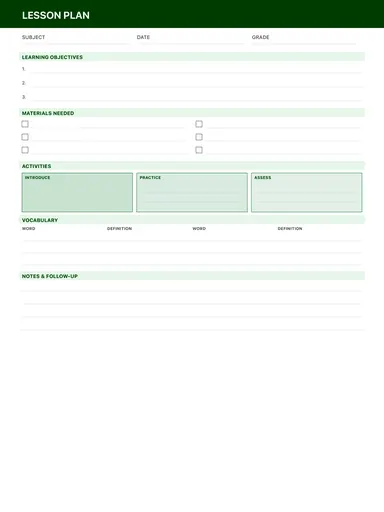
Yes, the lesson plan template plans a single lesson with objectives, materials and activities.